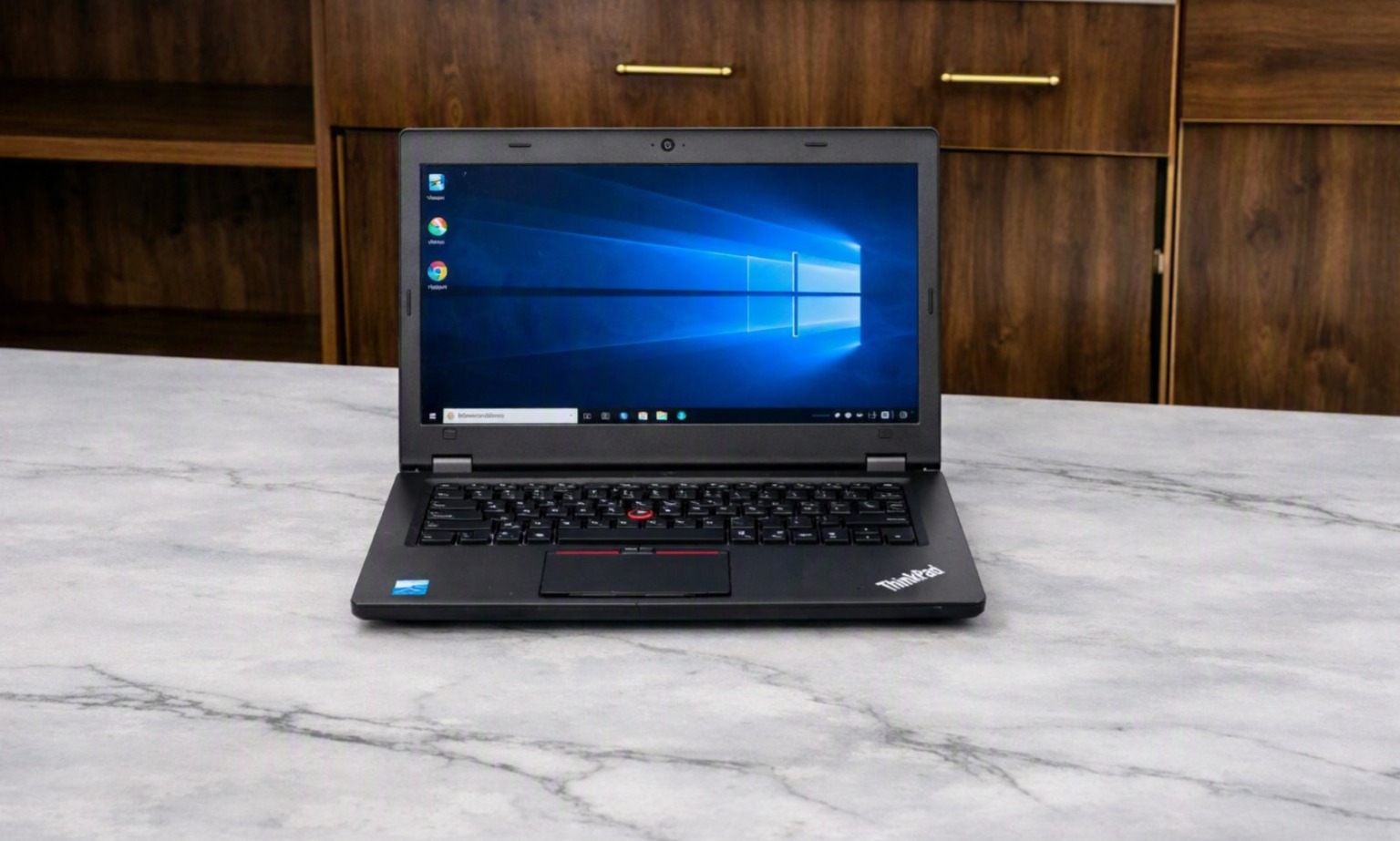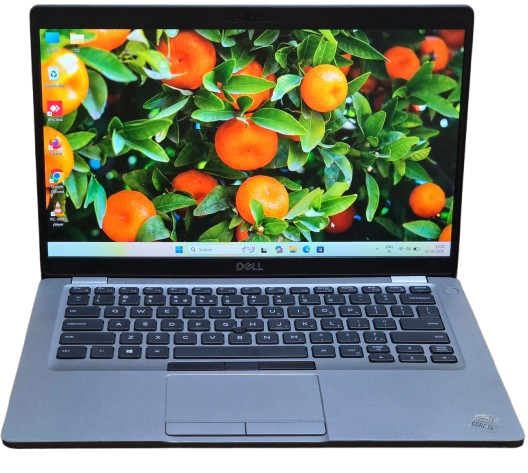
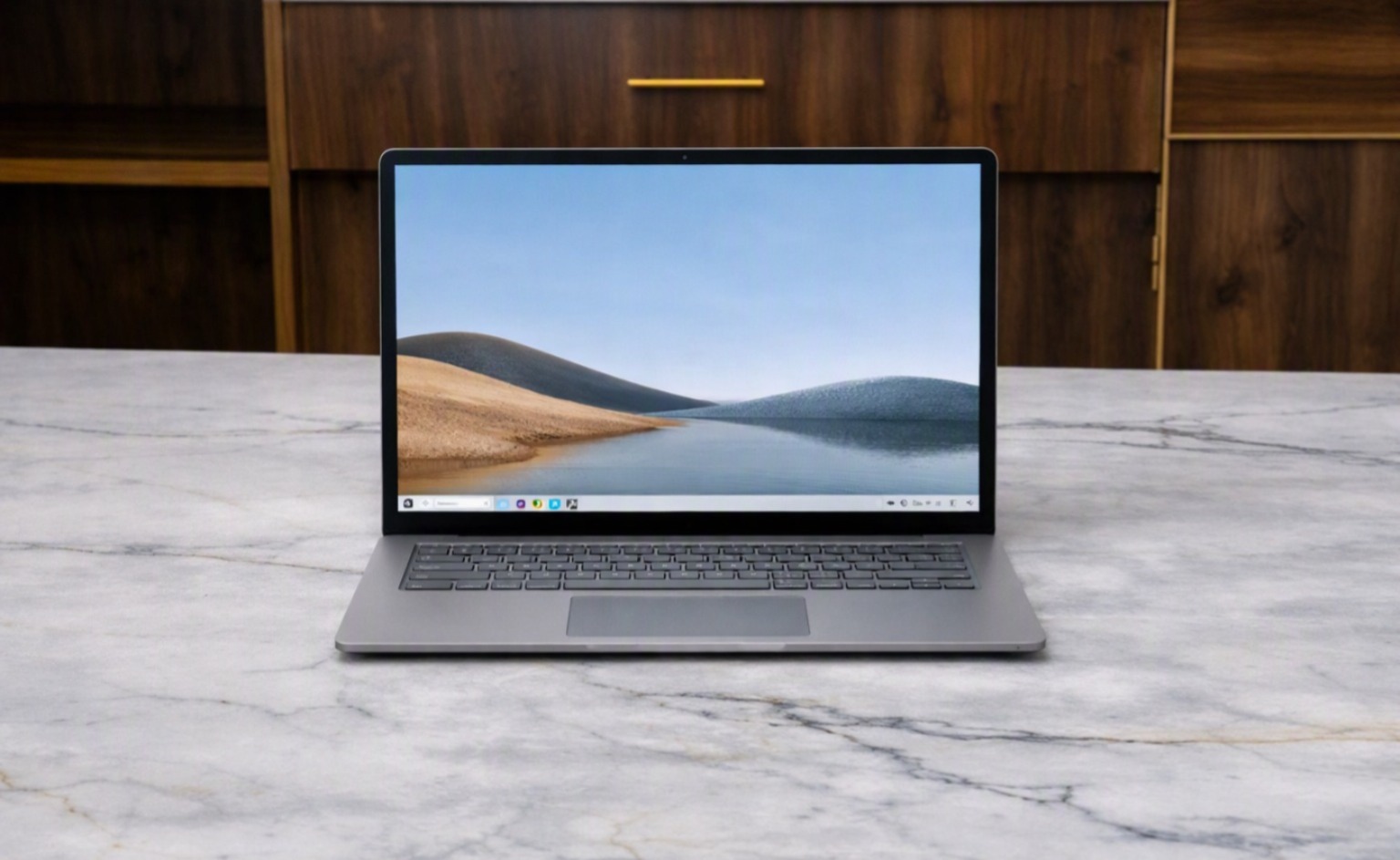
Laptop Rental for Startups in Electronic City

Laptop Rental for Startups in Electronic City: What Businesses Should Know

Laptop Rental for Startups in Electronic City

Introduction: Laptop Rental for Startups in Electronic City

Starting a new business involves making dozens of decisions, from hiring employees and finding an office to selecting the right technology. For many startups, computers are one of the first essential investments because employees need reliable devices to perform their daily work.

However, buying laptops for an entire team can require considerable upfront spending. This becomes more challenging when the team size is changing or the business is still determining its long-term technology requirements.

For startups operating in Bangalore’s technology ecosystem, laptop rental for startups in Electronic City can provide an alternative way to equip employees without immediately purchasing every device.

This guide explains how startup businesses can approach laptop rental, what to consider before renting, and when it can make sense for a growing team.

Why Do Startups Need Flexible Laptop Solutions?

Startups rarely grow in a perfectly predictable way.

A company may begin with five employees, add ten more within a few months, and then recruit another group for a new project. At the same time, some employees may work remotely while others work from the office.

This changing workforce creates a practical challenge: how many laptops should the company purchase?

Buying too many devices can leave unused hardware, while buying too few can make onboarding new employees more difficult.

A rental model can give startups another option.

With Laptop Rental in Electronic City, businesses can arrange devices according to their immediate requirements and consider additional equipment as their teams grow.

7 Situations Where Laptop Rental Can Help Startups

  1. Setting Up a New Startup Office

A newly established startup may need laptops for its first group of employees.

Instead of purchasing a complete fleet immediately, founders can evaluate their expected team size, job roles, software requirements, and project duration before deciding how to acquire equipment.

Laptop rental for startups in Electronic City can be considered as part of this initial office setup.

  1. Hiring Employees Quickly

Startup recruitment can sometimes happen in batches.

For example, a company may hire ten developers, five sales employees, and several support staff within a short period.

Having laptops ready for new employees can make onboarding easier.

A rental provider can help businesses arrange multiple devices when they need to expand their workforce.

This makes corporate laptop rental relevant not only to large companies but also to startups experiencing rapid team growth.

  1. Supporting Temporary Projects

Not every startup project is permanent.

A company may receive a six-month contract and need additional employees and equipment specifically for that project.

Purchasing laptops for a short-term requirement may not always align with the project’s duration.

In such situations, startups can explore Laptop Rental in Bangalore for the required period.

  1. Training New Employees

Training is an important part of startup growth.

New employees may need laptops during:

  • Software training
  • Technical workshops
  • Product training
  • Orientation programs
  • Skill development sessions

If the company does not have enough spare devices, rental laptops can provide additional equipment for the training period.

  1. Supporting Remote and Hybrid Employees

Many startups operate with a combination of office-based and remote employees.

A company may need to provide laptops to:

  • Remote employees
  • Freelancers
  • Contract workers
  • Consultants
  • Temporary team members

Rather than purchasing separate devices for every temporary requirement, businesses can evaluate rental options based on their workforce structure.

  1. Managing Business Expansion

When a startup moves from a small team to a larger organization, its IT requirements also change.

The company may need additional laptops, desktops, workstations, printers, or servers.

An IT rental provider can become part of the startup’s equipment planning process.

For example, Renton Technologies provides:

  • Laptop Rental
  • Desktop Rental
  • Workstation Rental
  • Server Rental
  • Printer Rental

This allows businesses to consider multiple categories of IT equipment from one provider.

  1. Testing Different Hardware Requirements

Different employees don’t necessarily need identical hardware.

A sales employee may require a standard business laptop, while a developer or designer may require a higher-performance configuration.

Before committing to large-scale hardware purchases, startups should identify the actual requirements of each role.

Rental can provide an opportunity to match equipment with specific workloads.

What Laptop Specifications Should Startups Consider?

Choosing a laptop should not be based only on price.

The right configuration depends on the employee’s role and software requirements.

For Administrative Employees:

Typical office work may include:

  • Email
  • Microsoft Office
  • Web applications
  • Video meetings
  • CRM software

A standard business laptop may be sufficient.

For Developers:

Developers may require more RAM, faster processors, and adequate SSD storage depending on their development environment.

For Designers and Creatives:

Designers, video editors, and other creative professionals may require higher-performance systems with suitable displays and graphics capabilities.

For Sales Teams:

Sales employees who travel frequently may benefit from lightweight business laptops with good battery life and connectivity.

The key is to select equipment based on actual workload rather than simply choosing the most powerful device available.

Laptop Rental vs Buying: What Should Startups Consider?

Every startup needs its own path—one size doesn’t fit all.

Businesses should compare both options based on their circumstances.

Factor

Laptop Rental

Laptop Purchase

Initial spending

Can spread cost over rental period

Higher upfront investment

Short-term projects

Suitable to consider

May result in unused equipment afterward

Team growth

Equipment can be added as needed

Requires additional purchases

Long-term ownership

Equipment remains with provider

Business owns the device

Hardware changes

Rental terms may provide flexibility

Replacement requires another purchase

Maintenance

Depends on rental agreement

Business manages ownership responsibilities

Startups should evaluate their cash flow, expected equipment usage, team growth, project duration, and long-term IT strategy before choosing an approach.

What Should You Check Before Renting Laptops?

If your startup is considering Laptop Rental for Startups in Electronic City, don’t look only at the monthly rental price.

Consider these factors as well.

Equipment Quality: Check the laptop’s processor, RAM, SSD, display, battery condition, operating system, and overall physical condition.

Rental Period: Understand the minimum rental period and whether the agreement can be extended if the project continues longer than expected.

Technical Support: Ask what happens if a rented laptop develops a technical problem.

Replacement Policy: Understand whether a faulty device can be replaced and how quickly support is provided.

Data Security: Businesses should follow appropriate data-security practices when employees use rented devices. Company data should be protected, and devices should be properly handled when returned.

Scalability: If your startup expects rapid hiring, check whether additional laptops can be arranged when required.

Why Electronic City Is Relevant for Startup IT Rentals

Electronic City is home to a wide range of technology-oriented businesses, startups, offices, and professional organizations.

For businesses operating in the area, proximity to an IT equipment rental provider can be useful when devices are needed for new employees, temporary projects, office expansion, or training programs.

Instead of treating equipment as a one-time purchase decision, startups can consider IT hardware as part of their broader operational planning.

This is where IT Equipment Rental in Electronic City can become relevant for growing businesses.

How Renton Technologies Supports Business IT Requirements

Renton Technologies provides IT hardware rental solutions for businesses in Electronic City, Bangalore.

The company offers:

Laptop Rental: For employees, startups, training programs, projects, and temporary teams.

Desktop Rental: For fixed office workstations and business operations.

Workstation Rental: For professional workloads requiring higher computing performance.

Server Rental: For businesses with specific server and infrastructure requirements.

Printer Rental: For offices and projects that require temporary or ongoing printing facilities.

Businesses can discuss their equipment requirements and select configurations based on their team size and intended usage.

Final Thoughts: Laptop Rental for Startups in Electronic City

Technology is an essential part of modern startup operations, but the way a company acquires its technology can vary depending on its stage of growth.

For startups with changing teams, temporary projects, training requirements, or rapid expansion plans, Laptop Rental for Startups in Electronic City can be one option worth evaluating.

The important step is to understand your team’s actual requirements, compare rental terms carefully, and choose equipment that supports the work your employees need to perform.

If your startup is based in Electronic City or elsewhere in Bangalore and requires IT hardware, Renton Technologies offers laptop, desktop, workstation, server, and printer rental solutions.

Need Laptops for Your Startup?

Renton Technologies

📍 Electronic City, Bangalore

📞 8050281515

Send requirement: https://www.renton.org.in/contact/

Equip your growing team with the right technology for the job.

Frequently Asked Questions

It can be considered when a startup needs laptops for a new team but wants flexibility around its initial IT expenditure or equipment requirements.

Yes. Businesses can enquire about multiple-device requirements when setting up teams, training programs, or temporary projects.

Rental duration depends on the provider and agreement. Startups should discuss their expected project period before finalizing the equipment.

Besides laptops, startups can explore desktop, workstation, server, and printer rental depending on their business requirements.

Startups operating in Electronic City can explore local providers offering Laptop Rental in Electronic City and compare equipment specifications, rental terms, support, and pricing.
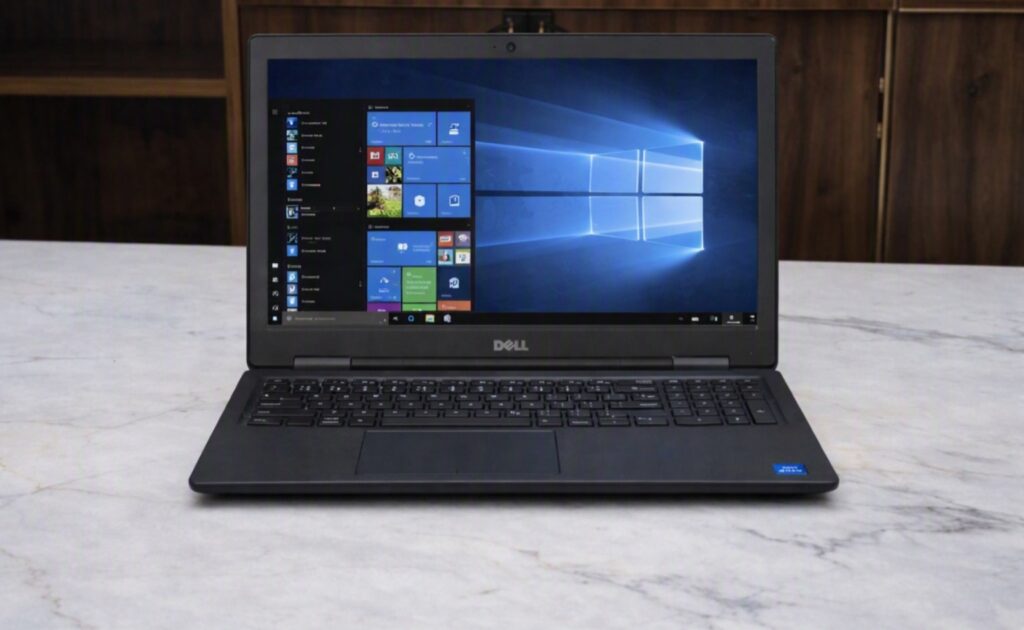
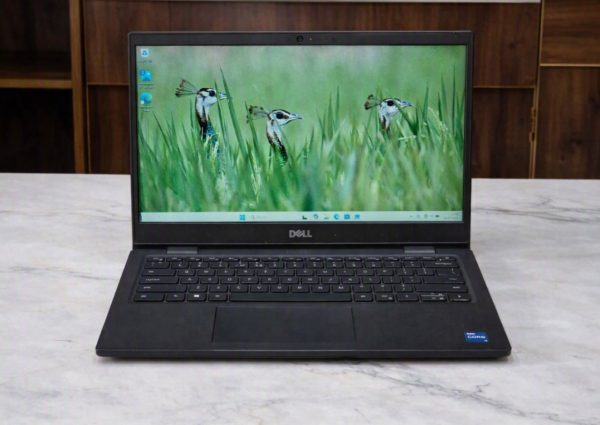
Laptop rental in Bangalore

Laptop Rental in Bangalore: A Complete Guide for Businesses, Projects, and Teams

Laptop Rental in Bangalore – Smart, Flexible Business Choice

Bangalore is one of India’s largest technology and business centres, with a constantly changing demand for computing equipment. Startups expand their teams, IT companies launch new projects, training institutes conduct short-term programs, and enterprises regularly require additional devices for temporary teams and business operations.

In many of these situations, purchasing laptops may not be the most practical solution. Businesses may need ten, fifty, or even hundreds of laptops for a specific period without wanting to permanently own all those devices.

This is where laptop rental in Bangalore becomes a flexible option.

Renting laptops allows businesses to access suitable computing equipment for a defined period without making the full upfront investment associated with purchasing new devices. Depending on the requirement, laptops can be used for employee onboarding, project teams, training programs, events, temporary offices, remote work, and other business needs.

Renton Technologies provides IT hardware rental solutions for businesses and organisations in Bangalore, including laptops, desktops, workstations, servers, and printers.

Laptop rental in Bangalore

What Is Laptop Rental?

Laptop rental is a service through which businesses or individuals use laptops for an agreed rental period instead of purchasing them outright.

The rental period can depend on the project and service agreement. A business may need laptops for a short event, a training program lasting several weeks, or a long-term project lasting months or more.

The basic process generally involves:

  • Identifying the required number of laptops.
  • Selecting suitable configurations.
  • Defining the rental period.
  • Confirming delivery and service requirements.
  • Deploying the laptops to employees or project users.
  • Returning or extending the equipment according to the agreement.

This approach gives organisations greater flexibility when their technology requirements are temporary or likely to change.

Why Is Laptop Rental Becoming Important for Bangalore Businesses?

Technology requirements are no longer fixed for many businesses.

A company may hire 30 employees for a new project and need 30 additional laptops immediately. Six months later, the project may end, the team may change, or the devices may be reassigned.

If all the equipment was purchased specifically for that project, the organisation is left with additional assets that still need to be managed.

Rental can provide an alternative for such situations.

Businesses can align their hardware requirements with the duration and scale of their operations. This is particularly valuable for companies working with project-based teams, contract employees, temporary offices, or rapidly changing workforce requirements.

Who Can Benefit from Laptop Rental in Bangalore?

Laptop rental is not limited to a particular type of organisation. Different businesses can use rental solutions for different purposes.

Startups: Startups often need to control their initial expenditure while building teams and developing their business.

Instead of purchasing a large inventory of laptops immediately, a startup can consider renting devices based on its current workforce.

As the team grows, additional laptops can be arranged according to requirements.

IT and Software Companies: Software development companies may need additional laptops when starting new projects or hiring temporary developers, testers, consultants, or support staff.

Different projects may also require different hardware configurations, making flexible equipment access useful.

Corporate Offices: Large companies may require additional devices for employee onboarding, temporary employees, internal projects, or office expansion.

Rental can help meet these requirements without adding every temporary device to the company’s permanent asset inventory.

Training Institutes: Training centres frequently need multiple laptops for students or participants.

Buying dozens of laptops for a particular training program may not always make financial or operational sense, particularly when the equipment is not required throughout the year.

Educational Institutions: Colleges, universities, and educational organisations may require laptops for workshops, seminars, examinations, technical training, and special programs.

Event and Conference Companies: Events often require computing equipment for registration desks, presentations, demonstrations, coordination, and temporary workstations.

Since these requirements are usually time-bound, rental can be a practical option.

Project Offices: Construction, infrastructure, engineering, consulting, and other project-based businesses may establish temporary offices where employees need computing equipment for a defined period.

What Laptop Configuration Should You Rent?

Choosing the right configuration is one of the most important parts of the rental process.

The cheapest laptop is not necessarily the best option if employees need to run demanding applications.

Similarly, paying for high-end specifications may be unnecessary for basic office work.

The configuration should match the workload for Basic Office Work.

For activities such as:

  • Email
  • Microsoft Office
  • Web browsing
  • Documentation
  • Online meetings
  • Accounting applications
  • Business applications

A standard business laptop with adequate RAM and SSD storage may be sufficient.

For Software Development: Developers may require higher RAM, faster processors, and sufficient SSD storage depending on their development environment and applications.

For Design and Engineering: Graphic design, CAD, 3D modelling, video editing, architecture, and engineering applications may require higher-performance systems or professional workstations.

For Training Programs: Training laptops should be selected according to the software being taught. A basic configuration may work for general computer training, while programming, data analytics, design, or technical courses may require higher specifications.

RAM and Storage: Why Do They Matter?

Two specifications that businesses should pay particular attention to are RAM and storage.

RAM affects how efficiently a laptop can handle multiple applications and tasks at the same time.

SSD or NVMe storage can provide faster system responsiveness compared with traditional hard drives.

For example, an employee who regularly works with multiple browser tabs, office applications, communication tools, and business software may benefit from a laptop with adequate RAM and SSD storage.

The correct configuration ultimately depends on the intended workload.

How Long Can You Rent a Laptop?

The rental duration depends on the provider and the business requirement.

Common requirements can include:

  • Short-term rentals
  • Weekly requirements
  • Monthly rentals
  • Quarterly projects
  • Long-term business requirements

A short event may need laptops for only a few days, while a project team may require them for several months.

Businesses should communicate their expected rental duration clearly and also ask whether the rental can be extended if the project timeline changes.

There is no single answer for every business.

Buying may make sense when the company expects to use the laptop for several years and wants permanent ownership.

Renting can be attractive when the requirement is temporary, uncertain, seasonal, or project-based.

Consider a company that needs 40 laptops for a six-month project. Purchasing all 40 devices creates a permanent asset commitment. Renting may allow the company to use the required equipment during the project and return it afterward, depending on the agreement.

Therefore, the decision should be based on factors such as:

  • Expected usage period
  • Budget
  • Number of devices
  • Project duration
  • Future hardware requirements
  • Asset management requirements
  • Technology upgrade requirements
  • Key Benefits of Renting Laptops
  • Lower Upfront Investment

Purchasing a large number of laptops requires significant upfront capital. Rental can reduce the initial financial commitment associated with acquiring equipment.

Flexible Quantities: Businesses can arrange equipment based on their current requirements rather than maintaining a large permanent inventory.

Useful for Temporary Requirements: Projects, events, training programs, and temporary employees often require devices for a limited period.

Faster Team Deployment: When additional employees join a project, having access to rental equipment can help businesses equip teams without treating every device as a permanent purchase.

Easier Management of Temporary Assets: After a project ends, purchased equipment must be stored, reassigned, sold, or otherwise managed. Rental can reduce this particular ownership burden when equipment is returned under the rental agreement.

Access to Different Configurations: Businesses can choose configurations based on project requirements instead of using the same specification for every situation.

What Should You Check Before Choosing a Laptop Rental Company?

Choosing the right provider is as important as choosing the laptop. Before finalising a rental agreement, businesses should evaluate several factors.

  1. Equipment Quality: Ask whether the laptops are inspected and tested before deployment.
  2. Specifications: Confirm the exact processor, RAM, storage, operating system, display, and other specifications.
  3. Availability: For bulk requirements, confirm whether the provider can supply the required quantity at the required time.
  4. Technical Support: Understand how technical problems are handled during the rental period.
  5. Replacement Policy: Ask what happens if a rented laptop develops a hardware problem.
  6. Delivery: Confirm delivery arrangements, location coverage, and expected deployment timelines.
  7. Rental Terms: Review the rental period, extension options, payment terms, deposit requirements if applicable, and return conditions.
  8. Accessories: Check whether chargers and other required accessories are supplied with the laptops.

A clear understanding of these factors can help businesses select a rental solution that fits their operational requirements.

Corporate Laptop Rental in Bangalore – Scalable IT Solutions

Laptop Rental for Temporary Office Setups: Temporary offices are common in project-based industries and business expansion.

A company may establish a temporary project office in Bangalore for six months or one year. Employees working at the location require computers from the beginning of the project.

Purchasing laptops solely for a temporary office can create an additional asset-management requirement when the office closes.

Rental can provide flexibility by allowing the business to arrange equipment for the operational period and manage the devices according to the rental agreement afterward.

Laptop Rental for Employee Onboarding: Employee onboarding can create sudden IT requirements.

Suppose a company hires 25 employees who are expected to start within the same week. If laptops are not available, employees may be unable to begin their assigned work effectively.

Rental can be considered when companies need additional laptops quickly for new employees, temporary staff, or project teams.

This is especially useful for organisations experiencing rapid hiring or short-term workforce expansion.

Laptop Rental for Events and Training: Events and training programs have another important characteristic: their equipment requirements are usually temporary.

A conference may require laptops for registration and administration. A training program may need one device per participant.

Rather than purchasing equipment that may remain unused after the event, organisers can explore rental options based on the number of participants and duration.

Why Businesses in Electronic City May Choose a Local Rental Provider

Electronic City is an important business and technology hub in Bangalore, with IT companies, startups, training centres, service providers, and project offices operating in the area.

When businesses require multiple laptops, local availability and service support can be valuable considerations.

A provider serving Electronic City and other Bangalore business areas may be able to coordinate equipment delivery and support according to the customer’s project requirements.

How to Plan a Laptop Rental Requirement

A simple planning process can make the laptop rental process easier. The steps below highlight all the important actions to take before proceeding further.

Step 1: Identify the Number of Users: Determine how many employees, trainees, consultants, or event participants require laptops.

Step 2: Understand the Workload: List the applications and tasks the users will perform.

Step 3: Select the Configuration: Choose processor, RAM, storage, operating system, and other specifications based on the workload.

Step 4: Determine the Rental Period: Estimate how long the equipment will be required.

Step 5: Discuss Service Requirements: Confirm delivery, technical support, replacement, accessories, and return arrangements.

Step 6: Compare the Rental Terms: Do not compare providers only on price. Consider equipment quality, service, availability, flexibility, and overall rental conditions.

Why Renton Technologies for Laptop Rental in Bangalore?

Renton Technologies provides IT hardware rental solutions for businesses and organisations in Bangalore.

The company supports different business requirements involving laptops and other IT equipment, including desktops, workstations, servers, and printers.

For companies requiring additional laptops, the rental requirement can be planned according to the number of devices, configuration, project duration, location, and support needs.

Whether you are a startup expanding your team, an organisation conducting employee training, or a company setting up a temporary project office, choosing the right equipment and rental terms can make your IT deployment more flexible.

Conclusion: Laptop Rental in Bangalore

Modern businesses need technology that can adapt to changing requirements. Not every laptop requirement represents a permanent need. Projects end, teams expand and contract, training programs finish, and temporary offices eventually close.

For these situations, laptop rental in Bangalore can provide businesses with a flexible way to access computing equipment without making every requirement a permanent purchase.

The right rental decision should consider more than the monthly price. Businesses should evaluate the laptop configuration, equipment condition, availability, rental duration, support, replacement policy, delivery, and overall service terms.

By clearly understanding these factors, companies can select a laptop rental solution that supports their operational and project requirements.

If your business needs laptops for employees, projects, training programs, temporary offices, or events, Renton Technologies can help you explore suitable IT hardware rental options in Bangalore.

Looking for reliable laptops for your business or project?

Contact us Now!

📞 8050281515 |🌐 www.renton.org.in

Frequently Asked Questions

Laptop rental allows businesses and organisations to use laptops for an agreed period without purchasing the equipment outright.

Startups, corporates, IT companies, training institutes, educational organisations, event companies, and project teams can consider laptop rentals based on their requirements.

Yes. Laptop rental can be suitable for projects with defined timelines, temporary teams, and short-term office setups.

Yes, businesses can discuss bulk requirements with rental providers. Availability depends on the required quantity and configuration.

Consider the applications and workload first, then select the processor, RAM, storage, operating system, and other specifications accordingly.

It depends on the situation. Buying may suit long-term ownership, while renting can be useful for temporary, project-based, seasonal, or uncertain requirements.

Check equipment condition, specifications, quantity, rental period, delivery, technical support, replacement terms, accessories, payment conditions, and return policies.

Yes. Rental can help businesses provide additional laptops when onboarding temporary or newly hired employees.

Corporate laptop rental in Bangalore
Laptop for Corporate Training Programs

How to Choose the Right Laptops for Corporate Training Programs

Laptop for Corporate Training Programs

Choosing Performance-Driven Laptop for Corporate Training Programs

Corporate training programs have become an important part of employee development, onboarding, technical education, and professional skill building. Whether a company is conducting software training, employee induction, certification classes, technical workshops, or large-scale learning sessions, having the right technology can make the training experience smoother and more productive.

Choosing the right Laptop for Corporate Training Programs requires more than simply selecting an affordable device. Businesses need to consider the training software, number of participants, processor, RAM, storage, operating system, connectivity, and duration of the program.

For organizations that need computers only for a specific training period, renting laptops can also be a practical and cost-effective option. Renton Technologies provides laptop rental solutions for corporate training, employee onboarding, temporary projects, training institutes, and business events.

Why Laptop Selection Matters for Corporate Training Programs

A training session can involve several activities at the same time. Participants may need to watch presentations, access online resources, use business applications, write code, work with spreadsheets, attend video meetings, or complete practical assignments.

If the laptops are slow or incompatible with the required software, participants may face delays and interruptions.

The right corporate training laptops can help provide:

  • Smooth application performance
  • Faster startup and software loading
  • Better multitasking
  • Reliable connectivity
  • Comfortable working sessions
  • Fewer technical interruptions
  • Consistent performance across participants

The objective should be to select laptops that match the training requirements rather than automatically choosing the most expensive configuration.

Understand Your Training Requirements

Before arranging laptops, identify what participants will actually do during the training program.

Different courses require different levels of computing performance.

For basic office training, participants may primarily use Microsoft Office, web browsers, email, presentations, and business applications. A standard business laptop may be sufficient for these activities.

Technical training may require more powerful systems. Programming, database management, data analysis, engineering applications, CAD, graphic design, and video editing can require higher processing power and memory.

Create a list of the software and applications that will be used before deciding on the laptop configuration.

This simple step can prevent organizations from renting or purchasing systems that are either underpowered or unnecessarily expensive.

How to Choose the Right Processor for Laptops for Corporate Training Programs

The processor is one of the most important components to consider when selecting a Laptop for Corporate Training Programs.

For general office training, modern Intel Core or AMD Ryzen processors can provide sufficient performance for everyday business applications.

Training programs involving development environments, engineering software, data processing, or other demanding applications may require a higher-performance processor.

Instead of selecting a processor based only on its model number, businesses should consider the actual workload.

The right processor should provide enough performance to run the required applications smoothly while keeping the overall equipment cost practical.

Laptops for Corporate Training Programs: How Much RAM Is Enough?

RAM directly affects how well a laptop handles multiple applications.

During corporate training, participants may have several programs open simultaneously. A trainee could be working with a browser, presentation, spreadsheet, communication platform, and training application at the same time.

For basic corporate training, 8GB RAM can be a practical starting point. Training involving software development, data analysis, design applications, or heavier multitasking may benefit from 16GB RAM or more.

When arranging employee training laptops, businesses should consider the recommended RAM requirements of the software being used.

Why SSD Storage Matters in Laptops for Corporate Training Programs

Storage remains an essential element that deserves attention.

Laptops with SSD storage generally provide faster boot times and application loading compared with traditional hard disk drives. This can be particularly useful in a training environment where multiple participants need to start their systems and access applications quickly.

For many standard training programs, a 256GB SSD may provide adequate capacity. Programs involving large applications, datasets, design files, or media content may require more storage.

An SSD can also contribute to a more responsive overall user experience, making it a useful feature for corporate training laptops.

Laptops for Corporate Training Programs: Ensuring OS and Software Compatibility

The operating system should be compatible with the applications required for the training program.

For example, if a course depends on Windows-based business or technical applications, the laptops should have a compatible Windows environment.

Before the training begins, the IT team should install and test all required applications.

Important checks include:

  • Operating system compatibility
  • Software versions
  • Application licenses
  • Drivers
  • Browser compatibility
  • Network access
  • User permissions
  • Security settings

Testing everything before the first training session can reduce technical issues and save valuable training time.

Why Screen Size and User Comfort Matter in Laptops for Corporate Training Programs

Participants may spend several hours working on their laptops, so comfort should also be considered.

A 14-inch or 15.6-inch display can provide a useful balance between portability and viewing comfort for many training environments.

A suitable screen makes it easier to read documents, follow presentations, write code, work with spreadsheets, and complete practical exercises.

For classroom-based programs, organizers should also consider desk size, seating arrangements, and viewing distance when selecting equipment.

Connectivity & Battery Essentials for Laptops in Corporate Training Programs

Reliable connectivity is essential for modern training programs.

Many corporate sessions use cloud applications, online learning platforms, video conferencing tools, collaboration software, and web-based applications.

Before arranging laptops, check:

  • Wi-Fi compatibility
  • Required ports
  • Bluetooth requirements
  • Network compatibility
  • Charging requirements
  • Power adapter availability

If the training takes place in a fixed classroom, organizers should also ensure that sufficient power outlets and charging facilities are available.

How to Plan Bulk Laptop Requirements for Corporate Training Programs

Large training programs may require a significant number of devices.

For example, a company conducting training for 50 employees may need 50 laptops for the same period. A larger training initiative could require 100 or more systems.

Managing a large number of devices becomes easier when the systems have similar configurations.

Standardized laptops can simplify:

  • Software installation
  • System configuration
  • Network setup
  • Troubleshooting
  • Technical support
  • User instructions

For organizations that need equipment temporarily, bulk laptop rental can be an alternative to purchasing a large number of computers.

When Should You Rent Laptops for Training?

Buying laptops may be appropriate when a company requires permanent equipment for its employees.

However, purchasing may not always be practical when the requirement is temporary.

Laptop Rental for Training Programs can be useful for:

  • Short-term corporate training
  • Employee onboarding
  • Technical workshops
  • Certification programs
  • Temporary training centers
  • Educational programs
  • Skill development sessions
  • Corporate events
  • Project-based learning

If the equipment is required only for a few weeks or months, renting can allow businesses to access the required systems without purchasing devices that may have limited use afterward.

Benefits of Renting Laptops for Corporate Training

Businesses can consider rental when they need flexibility in both quantity and duration.

Lower Initial Investment

Organizations can avoid purchasing a large number of laptops specifically for a temporary training program.

Flexible Rental Duration

Equipment can be arranged according to the expected duration of the training.

Support for Large Groups

Rental providers can help businesses arrange multiple systems for larger groups of participants.

Easier Deployment

Coordinating the delivery and collection of multiple devices through a rental provider can simplify the logistics.

Technical Assistance

Access to technical support can help businesses address equipment-related problems during the training period.

Preparing Laptops Before the Training Session

Preparing the equipment in advance is one of the most important steps in organizing a successful training program.

Before participants arrive, the training team should:

  1. Start and restart the laptops.
  2. Check operating system functionality.
  3. Test internet connectivity.
  4. Install required applications.
  5. Verify software licenses.
  6. Test participant accounts.
  7. Check audio and video.
  8. Confirm network access.
  9. Apply necessary updates.
  10. Test the complete training workflow.

This preparation helps identify potential issues before the actual session begins.

Data Security Considerations

Corporate training can sometimes involve internal applications, confidential documents, employee information, or company systems.

Organizations should therefore establish appropriate security procedures.

Depending on the training environment, companies may consider:

  • Antivirus protection
  • Password policies
  • Restricted user permissions
  • Secure Wi-Fi
  • Access controls
  • Data deletion procedures
  • Device security policies

When using rental equipment, businesses should also understand how devices are prepared before delivery and handled after the rental period.

Who Can Benefit from Training Laptop Rentals?

Laptop rental can be useful for many types of organizations.

Companies and institutions that may benefit include:

  • IT companies
  • Startups
  • MNCs
  • Training institutes
  • Educational organizations
  • Corporate HR teams
  • Certification providers
  • Event management companies
  • Remote training teams
  • Project-based organizations

The required laptop configuration will depend on the training content, software, number of participants, and duration.

Top Reasons to Choose Renton Technologies for Laptops for Corporate Training Programs

Renton Technologies provides IT equipment rental solutions for businesses and organizations with temporary or long-term technology requirements.

The company offers rental solutions for:

  • Laptops
  • Desktops
  • Servers
  • Workstations
  • Printers

Renton Technologies supports requirements related to corporate training, employee onboarding, business projects, training institutes, events, temporary offices, and bulk equipment requirements.

Businesses can discuss their requirements based on the number of participants, rental duration, preferred configuration, software requirements, delivery location, and technical support needs.

For companies looking for a Laptop for Corporate Training Programs, Renton Technologies can help identify a suitable rental solution based on the specific requirements of the project.

Quick Checklist for Choosing Training Laptops

Before finalizing the equipment, consider the following:

Requirement

What to Check

Processor

Match the training applications

RAM

8GB for basic use; 16GB+ for heavier workloads

Storage

SSD preferred

Operating System

Compatible with required software

Display

Comfortable for extended use

Connectivity

Wi-Fi and required ports

Battery

Suitable for the training environment

Software

Installed and tested beforehand

Quantity

Match the number of participants

Support

Technical assistance available

Final Insights: Selecting Laptops for Corporate Training Programs

Selecting the right Laptop for Corporate Training Programs can have a direct impact on the effectiveness of a training session. Businesses should evaluate the applications being used, processor, RAM, storage, operating system, display, connectivity, security, and number of participants before arranging equipment.

For temporary training programs, laptop rental can offer greater flexibility than purchasing a large number of devices that may not be needed after the program.

Whether you are conducting employee onboarding, technical training, certification programs, or a large corporate workshop, planning your laptop requirements in advance can help create a smoother learning experience.

If your organization needs laptops for an upcoming training program, Renton Technologies can help you arrange suitable equipment based on your quantity, configuration, and rental duration requirements.

Contact Renton Technologies!

Email Id: contact@renton.org.in

Mobile No: +91-8050281515

Website: www.renton.org.in

Address: Renton Technologies LLP, First Floor, Lava Kusha Building, No. 6/2, Beratena Agrahara, Electronic City, Bengaluru, Karnataka 560100.

Land Mark: Near Damro Furniture

Map Link: https://www.google.com/maps/place/Renton+Technologies+LLP/@12.8646504,77.6578691,17z/data=!3m1!4b1!4m6!3m5!1s0x3bae6d5de476e795:0x6425e00f67ca91d7!8m2!3d12.8646504!4d77.6578691!16s%2Fg%2F11xrgvxx7z?hl=en&entry=ttu&g_ep=EgoyMDI2MDcyMS4wIKXMDSoASAFQAw%3D%3D

Laptop Rental in Bangalore

Laptop Rental vs Buying: A Complete Guide to Laptop Rental in Bangalore

Laptop Rental in Bangalore

Introduction: Laptop Rental in Bangalore

Laptops are an essential part of modern business operations. From employee onboarding and remote work to software development, training programs and corporate events, businesses need reliable computers to keep their teams productive.

For companies in Bangalore, one important IT decision is whether to purchase laptops or choose laptop rental in Bangalore.

Buying provides ownership, while renting gives businesses access to the required devices for a specific period without purchasing them permanently. The right choice depends on factors such as budget, usage period, number of employees, maintenance requirements and future business growth.

This guide explores laptop rental vs buying and explains how businesses can decide which option is more suitable for their requirements.

Laptop Rental in Bangalore vs Buying: What Should Businesses Choose?

There is no universal answer to whether renting or buying laptops is better. Each option has its own advantages, and the right choice depends on how a business plans to use its IT equipment.

Buying laptops can be suitable for companies with stable, long-term requirements. If employees are expected to use the same devices for several years, ownership may make sense.

On the other hand, laptop rental in Bangalore can be useful when businesses need equipment for temporary projects, employee onboarding, training programs, events or rapidly changing workforce requirements.

The key is to evaluate the total cost and practical benefits rather than looking only at the initial purchase price.

What Does Laptop Rental in Bangalore Include?

Laptop rental allows businesses to use laptops for an agreed period. Depending on their requirements, companies may rent devices for short-term projects, monthly requirements or longer periods.

A professional rental provider can offer different laptop configurations based on business needs. These may include various processor generations, RAM capacities, storage options and other specifications.

Businesses commonly use laptop on rent in Bangalore for:

  • Corporate training programs
  • Employee onboarding
  • Temporary projects
  • Events and conferences
  • Workshops and seminars
  • Remote employees
  • Startups and growing teams
  • Software development projects
  • Temporary office setups
  • Seasonal workforce requirements

Before renting, businesses should discuss the required quantity, configuration, rental duration, delivery arrangements, maintenance and replacement terms with the provider.

Benefits of Laptop Rental for Bangalore Businesses

Lower Initial Investment:

Purchasing multiple laptops requires a significant upfront investment. This can be challenging for startups, growing companies and businesses with temporary requirements.

Rental allows companies to access the required equipment without purchasing every device outright. This can help businesses manage their available capital more efficiently.

The money saved from a large upfront purchase can instead be allocated to hiring, marketing, infrastructure, software or other business priorities.

Greater Flexibility:

Business requirements can change quickly.

A company may need 20 laptops for one project and 100 laptops for another. Purchasing hardware for every temporary requirement can result in unused devices after a project is completed.

With rental, businesses can arrange equipment based on their current needs.

This flexibility makes business laptop rental useful for companies that frequently manage changing teams, projects and workforce sizes.

Easier Business Expansion:

Bangalore has a large ecosystem of startups, technology companies, BPOs, training institutes and enterprises. Many businesses experience rapid changes in employee numbers and project requirements.

For example, a company may need laptops for 50 new employees during a major recruitment drive. Instead of purchasing all the devices immediately, the company can explore rental options and scale its IT infrastructure according to business requirements.

Maintenance and Support:

When a company purchases laptops, it becomes responsible for managing those devices throughout their lifecycle.

This may include repairs, troubleshooting, hardware replacement and general maintenance.

Depending on the agreement, a professional rental provider may offer technical support, maintenance or replacement services. Businesses should always confirm these terms before signing a rental agreement.

This can reduce the burden on internal IT teams and allow them to focus on more important technology tasks.

Access to Suitable Hardware:

Technology requirements differ between employees and projects.

A basic office user may need a standard business laptop, while a developer, designer or engineer may require a higher-performance configuration.

Rental allows businesses to select equipment based on the requirements of a particular project instead of purchasing a single standard configuration for everyone.

When Should a Business Consider Buying Laptops?

Buying can be a suitable option for businesses with stable, long-term requirements.

Consider purchasing laptops if:

  • Employees will use the devices for several years.
  • The workforce is relatively stable.
  • Hardware requirements are unlikely to change frequently.
  • The company has sufficient capital for the purchase.
  • Internal IT support is available.
  • The organization wants complete ownership of its IT assets.
  • The business follows a predictable hardware replacement cycle.

For example, an established organization with a stable team may purchase laptops and use them for three or four years before replacing them.

However, the company should consider the total cost of ownership, including maintenance, repairs, upgrades, asset management and eventual disposal.

When Is Laptop Rental in Bangalore a Practical Choice?

Laptop rental in Bangalore can be particularly useful when equipment is needed for a limited period or when business requirements are changing.

Rental can be considered for:

Corporate Training:

Companies conducting training programs may require dozens or hundreds of laptops for a few days or weeks. Renting allows them to arrange the necessary devices without permanently purchasing equipment.

Employee Onboarding:

Rapidly growing businesses may onboard employees in batches. Rental can help companies arrange laptops quickly while they assess long-term hardware requirements.

Events and Conferences:

Corporate events, exhibitions, seminars and conferences often require temporary computing equipment. Purchasing laptops specifically for an event maynot be practical.

Temporary Projects:

Project teams may require specialized laptops for a particular contract or assignment. Renting allows the company to provide the required equipment for the project duration.

Startups:

Startups often need to manage their cash flow carefully. Rental can provide access to business computing equipment while allowing the company to invest available capital into growth.

Laptop Rental vs Buying: Cost Considerations:

Cost is one of the most important factors when comparing rental and purchase.

With buying, the business pays the purchase price upfront. It may then incur additional expenses over the laptop’s lifecycle, such as:

  • Repairs
  • Maintenance
  • Warranty extensions
  • Battery replacement
  • Hardware upgrades
  • IT support
  • Asset management
  • Replacement costs
  • Depreciation
  • Resale or disposal

With rental, the business pays according to the agreed rental arrangement.

However, rental is not automatically cheaper in every situation. If a laptop is required continuously for many years, purchasing may provide better long-term value.

Therefore, businesses should compare the total cost for the expected usage period rather than comparing only the purchase price with the rental rate.

How to Choose a Laptop Rental Company in Bangalore

If rental is the right option for your business, selecting the right provider is important.

When evaluating a laptop rental company in Bangalore, consider:

Laptop Quality: Check the condition, specifications and performance of the laptops being offered.

Available Configurations: Make sure the provider can supply configurations suitable for your employees or project requirements.

Rental Duration: Check whether the company supports the rental period you require, whether it is short-term, monthly or long-term.

Maintenance and Replacement: Understand what happens if a laptop develops a technical problem during the rental period.

Delivery and Collection: Confirm delivery timelines, collection procedures and service coverage for your location.

Pricing and Terms: Review the rental price, security deposit, minimum rental period and other applicable terms before confirming the order.

Customer Support: A responsive support team can be particularly important when multiple laptops are being used for an important business project.

Why Choose Renton Technologies for Laptop Rental in Bangalore?

Renton Technologies provides IT hardware rental solutions for businesses with different technology requirements.

Businesses can explore rental solutions for laptops, desktops, servers, workstations and printers. These services can support corporate offices, startups, training programs, events, project teams and other temporary or long-term requirements.

For companies looking for laptop rental in Bangalore, Renton Technologies can help businesses identify suitable equipment based on quantity, configuration and rental duration.

A reliable IT rental partner can make it easier for businesses to arrange equipment, manage temporary requirements and scale their technology infrastructure as needed.

Laptop Rental or Buying: Which One Should You Choose?

The right decision depends on your business circumstances.

Choose buying if:

  • You need laptops for several years.
  • Your workforce is stable.
  • Your hardware requirements are predictable.
  • You want complete ownership.
  • You have sufficient capital for purchasing and maintaining the equipment.

Consider rental if:

  • You need laptops temporarily.
  • You are organizing corporate training or events.
  • Your workforce is growing rapidly.
  • You need equipment for a short-term project.
  • You want greater flexibility.
  • You prefer to avoid a large upfront investment.

For many businesses, the decision may not be entirely one-sided. A company can purchase laptops for permanent employees while using rental equipment for temporary teams, training programs or special projects.

Final Thoughts: Laptop Rental in Bangalore

The decision between laptop rental and buying should be based on your company’s actual requirements rather than a simple assumption that one option is always better.

Buying can work well for stable, long-term requirements where ownership provides value. Laptop rental in Bangalore can be a practical alternative for businesses that need flexibility, temporary equipment, rapid scalability or access to specific configurations.

Before making a decision, compare the expected usage period, number of devices, hardware requirements, maintenance responsibilities, budget and future growth.

For businesses in Bangalore, a well-planned IT equipment strategy can help control costs while ensuring employees and project teams have access to the right technology when they need it.

Company Contact Information:

Email Id: contact@renton.org.in

Mobile No: +91-8050281515

Address: Renton Technologies LLP, First Floor, Lava Kusha Building, No. 6/2, Beratena Agrahara, Electronic City, Bengaluru, Karnataka 560100.

Land Mark: Near Damro Furniture

Map Link: https://www.google.com/maps/place/Renton+Technologies+LLP/@12.8646504,77.6578691,17z/data=!3m1!4b1!4m6!3m5!1s0x3bae6d5de476e795:0x6425e00f67ca91d7!8m2!3d12.8646504!4d77.6578691!16s%2Fg%2F11xrgvxx7z?hl=en&entry=ttu&g_ep=EgoyMDI2MDcyMS4wIKXMDSoASAFQAw%3D%3D

Business laptop rental in electronic city

Rent Business Laptops in Electronic City Without Long-Term Investment

For businesses in Electronic City, Bangalore, having the right laptops is essential for productivity, employee onboarding, training programs, client projects, and temporary teams. But purchasing multiple laptops can require a significant upfront investment, especially when your hardware requirements change frequently.

That is where business laptop rental in Electronic City can be a practical alternative.

Instead of spending a large amount on laptops that may not be needed permanently, businesses can rent reliable laptops for the period they actually require them. Whether you need five laptops for a startup team or 100+ systems for corporate training, renting gives you greater flexibility without committing your entire IT budget to hardware.

Business laptop rental in electronic city

Why Business Laptop Rental in Electronic City Makes Sense for Your Company

Electronic City is one of Bangalore’s major business and technology hubs. The area has startups, IT companies, BPOs, educational institutions, training centers, and established enterprises with constantly changing technology requirements.

Businesses may need additional laptops for several reasons:

  • New employee onboarding
  • Temporary project teams
  • Corporate training programs
  • Software development projects
  • Events and conferences
  • Remote or hybrid employees
  • Short-term business expansion
  • Interns and contract employees

Buying laptops for every temporary requirement can leave businesses with unused equipment once the project ends. Laptop rental for businesses in Electronic City provides an alternative that allows companies to access the required hardware without making a large permanent investment.

Benefits of Business Laptop Rental in Electronic City

  1. Reduce Upfront IT Costs

 Purchasing business laptops in bulk can put pressure on a company’s cash flow. This is    particularly important for startups and growing businesses that need to allocate their budget to salaries, software, marketing, infrastructure, and other operational expenses.

With laptop rental, businesses can spread their IT expenses according to their actual requirements.

Instead of purchasing 20 laptops for a six-month project, for example, a company can rent the equipment for the required period and return it when the project is completed.

  1. Scale Your Team Quickly

Business requirements can change quickly.

A company may suddenly need laptops for 10 new employees, a 50-person training batch, or a temporary project team. Purchasing and setting up new systems can take time and increase administrative work.

With corporate laptop rental in Electronic City, companies can arrange the required number of devices based on their project or workforce requirements.

This makes it easier to scale IT infrastructure without making a permanent hardware commitment.

  1. Rent Laptops for Short-Term Projects

Not every business requirement is long-term.

Companies may require laptops for a few days, weeks, or several months for:

  • Corporate events
  • Training sessions
  • Software testing
  • Client projects
  • Temporary employees
  • Workshops
  • Exhibitions
  • Recruitment drives

Renting allows businesses to match the rental period with the actual project duration.

  1. Avoid Unused Hardware

Technology requirements change over time. A laptop purchased today may no longer be suitable for a particular project several years later.

Businesses that regularly purchase hardware can eventually accumulate unused or outdated equipment.

Rental helps reduce this problem because companies can return equipment after completing their requirement instead of keeping hardware that is no longer being used.

Who Can Benefit from Business Laptop Rental in Electronic City?

  1. Startups and Growing Companies: Startups often need to control their initial operating expenses while building their teams.
  2. Laptop rental for startups in Electronic City: Allows a new company to provide employees with business-ready systems without purchasing a large number of laptops immediately.

As the company grows, it can increase the number of rented devices according to its workforce requirements.

  1. IT and Software Companies: Different roles in software companies—such as developers, testers, designers, project managers, and temporary teams—often require varied laptop configurations. Renting can help businesses arrange additional systems when a new project begins without purchasing hardware for every temporary requirement.
  2. Training Institutes: Training centers frequently require multiple laptops for students attending short-term courses and corporate training programs.

Instead of purchasing dozens of laptops that may remain unused between batches, institutes can rent the required number of devices for each training session.

  1. Corporate Teams: Large organizations may need additional laptops for employee onboarding, temporary teams, workshops, conferences, or special projects.

Companies can manage temporary requirements more smoothly with laptop rental services in Electronic City.

  1. Event Management Companies: Events, exhibitions, conferences, and business meetings may require laptops for registration desks, presentations, demonstrations, data entry, and other activities.

Short-term rental makes it possible to arrange the required systems without purchasing equipment specifically for an event.

What Should You Check Before Renting Business Laptops in Electronic City?

Finding the cheapest option isn’t the only factor in choosing a rental company. Businesses should consider the overall rental experience and the support provided.

  1. Laptop Configuration

Check whether the laptop configuration matches your business requirements.

Depending on the work, you may need:

  • Intel Core i5 or higher processors
  • Adequate RAM
  • SSD storage
  • Windows operating system
  • Business-class laptop models
  • Required ports and connectivity

For basic office work, a standard business laptop may be sufficient. For software development, design, engineering, and other demanding tasks, businesses may need laptops with higher-performance configurations.

  1. Rental Duration

Ask whether the company provides flexible rental periods.

Your requirement could be for a few days, one month, six months, or longer. With adaptable rental terms, you avoid unnecessary costs once the equipment is no longer in use.

  1. Technical Support

Technical issues can affect employee productivity and project deadlines.

Before renting, ask about technical support, troubleshooting, maintenance, and replacement policies.

A reliable rental provider should have a clear process for handling hardware problems.

  1. Bulk Availability

If you need 20, 50, 100, or more laptops, confirm whether the rental company can provide the required quantity and configuration.

This is particularly important for corporate training programs, employee onboarding, and large-scale projects.

  1. Delivery and Pickup

For businesses located in Electronic City, local delivery and pickup can make the rental process easier.

Ask about delivery timelines, installation requirements, pickup arrangements, and equipment collection after the rental period.

Why Renton Technologies for Business Laptop Rental in Electronic City?

Renton Technologies provides IT hardware rental solutions for businesses and organizations in Electronic City, Bangalore.

Businesses can rent laptops based on their project requirements instead of making an immediate investment in purchasing equipment.

Renton Technologies supports different business requirements, including:

  • Business laptop rentals
  • Bulk laptop rentals
  • Corporate laptop rentals
  • Short-term laptop rentals
  • Training and event requirements
  • Employee onboarding
  • Project-based IT requirements

Whether you need a few laptops for a small team or a larger quantity for a corporate project, discussing your exact requirement with an experienced rental provider can help you select suitable configurations and rental terms.

The objective should not simply be to rent the cheapest laptop available. Businesses should look for a balance between device configuration, reliability, rental flexibility, technical support, and overall value.

Is Renting Business Laptops Better Than Buying?

There is no single answer for every business.

Buying can make sense when a company needs the same hardware for several years and has the budget to purchase and maintain it.

Rental can be more suitable when the requirement is temporary, uncertain, seasonal, project-based, or expected to change frequently.

For example, a company hiring 30 employees for a six-month project may not want to purchase 30 laptops that could become unnecessary after the project ends.

In such situations, affordable laptop rental in Electronic City can provide greater flexibility.

Company Contact Information:

Email Id: contact@renton.org.in

Mobile No: +91-8050281515

Address: Renton Technologies LLP, First Floor, Lava Kusha Building, No. 6/2, Beratena Agrahara, Electronic City, Bengaluru, Karnataka 560100.

Land Mark: Near Damro Furniture

Map Link: https://www.google.com/maps/place/Renton+Technologies+LLP/@12.8646504,77.6578691,17z/data=!3m1!4b1!4m6!3m5!1s0x3bae6d5de476e795:0x6425e00f67ca91d7!8m2!3d12.8646504!4d77.6578691!16s%2Fg%2F11xrgvxx7z?hl=en&entry=ttu&g_ep=EgoyMDI2MDcyMS4wIKXMDSoASAFQAw%3D%3D

Frequently Asked Questions

Rental periods depend on the provider and requirement. Businesses may need laptops for short-term projects, monthly requirements, training programs, events, or longer periods.

Yes. Businesses can enquire about bulk laptop requirements for employee onboarding, corporate training, projects, events, and temporary teams.

Yes. Startups can use laptop rental to equip employees while avoiding a large upfront hardware purchase.

Yes. Laptop rental can be useful when a training program requires multiple systems for a limited period.

The appropriate configuration depends on the work. Office applications generally require less powerful hardware than software development, engineering, design, video editing, or other demanding workloads.

Rental can be useful when the requirement is temporary or uncertain. It allows businesses to access the required hardware without purchasing equipment that may not be needed after the project ends.

For businesses, the right IT infrastructure should support growth rather than create unnecessary financial commitments.

Business laptop rental in Electronic City gives companies the flexibility to arrange laptops for projects, employees, training programs, events, and temporary teams without immediately investing in permanent hardware.

If your company is planning employee onboarding, a corporate training program, a new project, or a temporary expansion, consider renting laptops based on your actual requirement.

Get a Quote for Your Business Laptop Requirement Today.